 Subtitle Translator
Watch any series
in your own language.
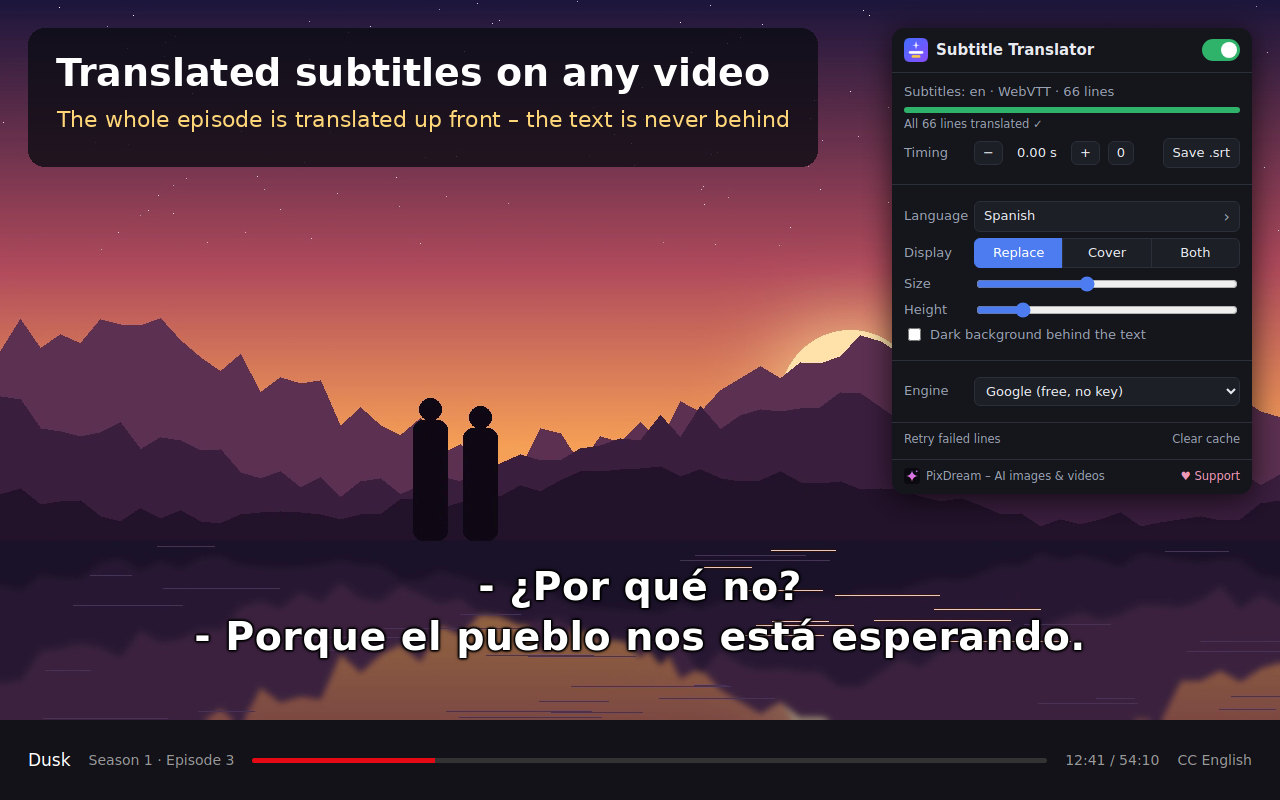
A free browser extension that translates a video's subtitles into any of 249 languages and shows them right on the video. The whole episode is translated up front, so the text is never behind.
Coming soon to the Chrome Web StoreChrome, Edge, Brave and Opera on desktop · free · no account or sign-in
How it works
- Add the extension to your browser with one click.
- Open a video and turn on its subtitles, for example English.
- Within seconds the translation replaces the original, and the whole episode is already translated.
Features
No lag
The subtitle file is translated in full ahead of time, starting from where you are watching. You never wait while watching.
Works almost everywhere
Detects standard subtitle formats (WebVTT, SRT, TTML, ASS, YouTube) on any site.
Any language
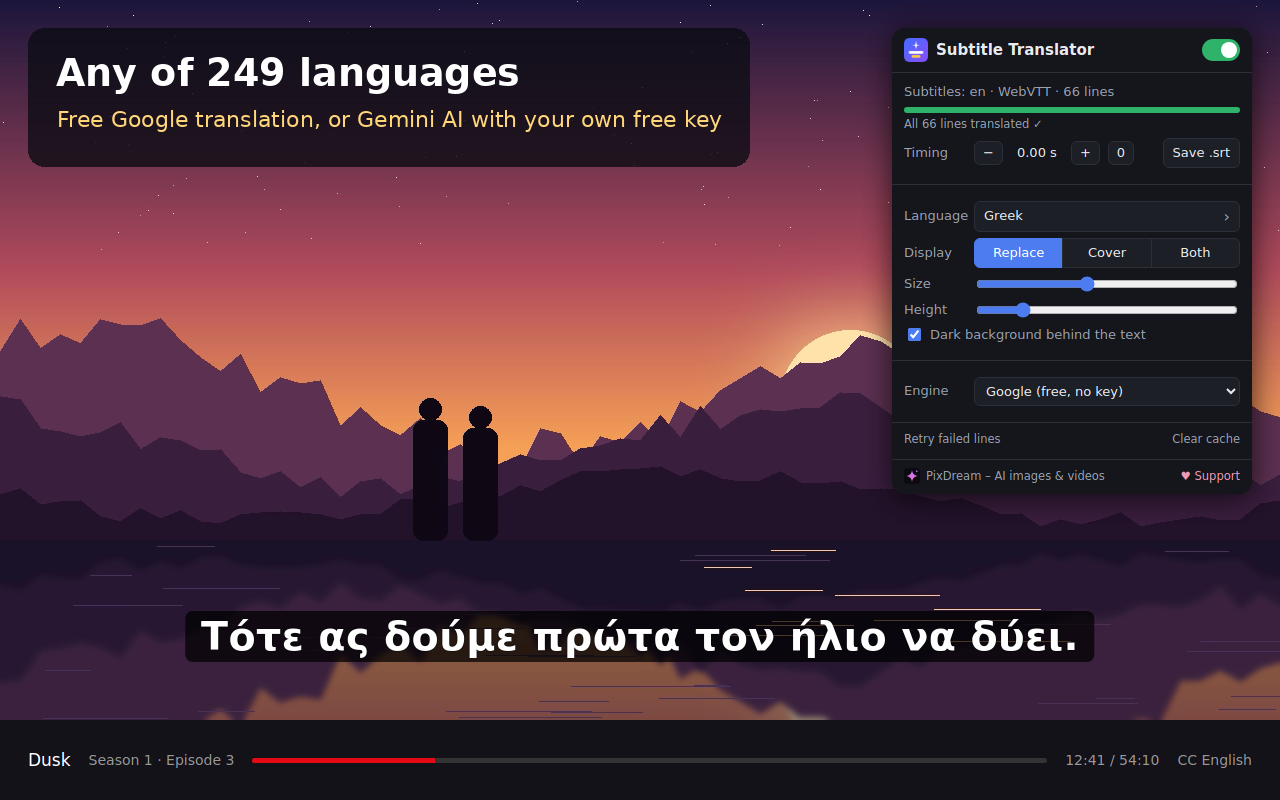
249 languages, from Spanish and Japanese to Finnish and Northern Sami. Switch language mid-episode.
Free AI
Works right away without a key. Optionally, Google's Gemini AI with your own free key gives more natural translations.
Replace or show both
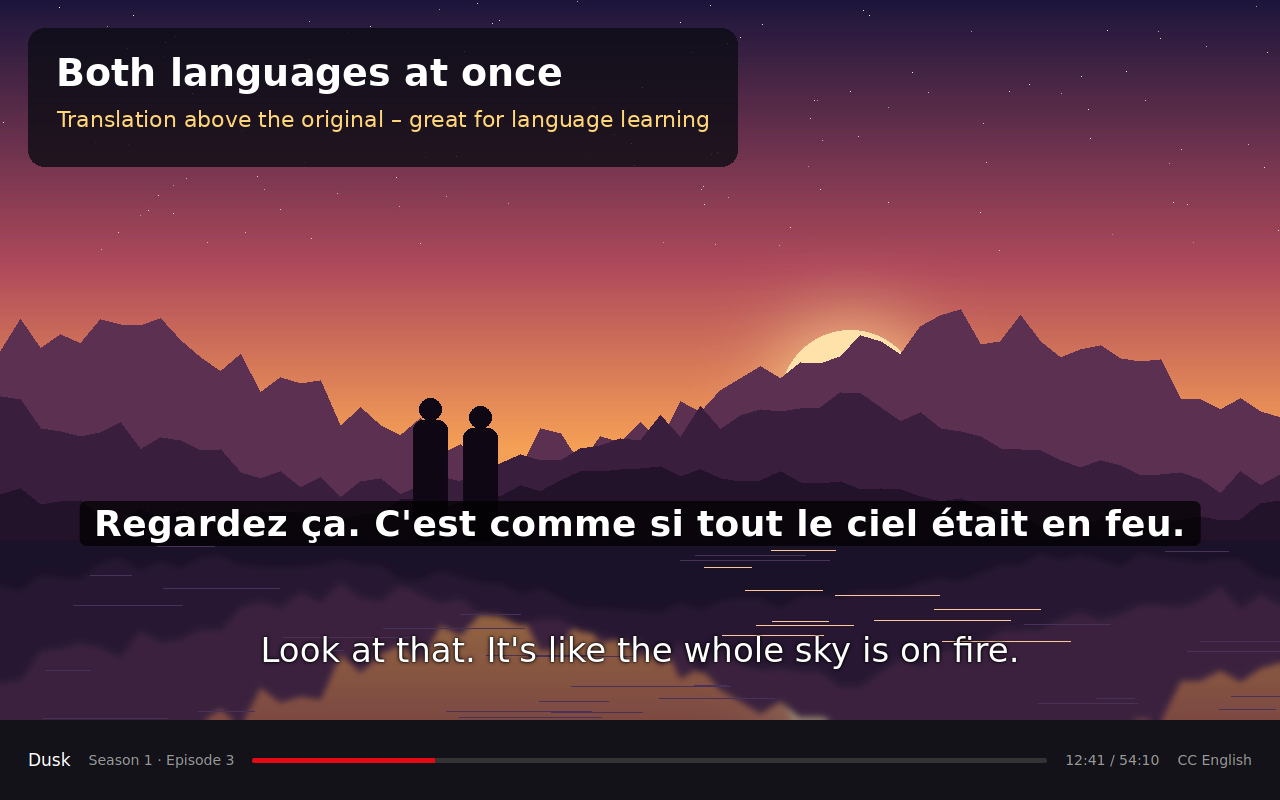
Hide the original, cover it, or show both languages at once for language learning.
Private
No account, no tracking and no ads on videos or web pages. Translations are stored only in your own browser.
Questions
Does it cost anything?
No. The extension is free, and the default Google translation needs no key. For Gemini AI you can get a free key at aistudio.google.com/apikey.
Which sites does it work on?
Most sites that play video in a desktop browser and provide subtitles as text. If a service renders subtitles as images, the extension cannot read them. Browser extensions do not work in phone or TV apps.
Does it bypass copy protection?
No. The extension never touches the video. It only reads the subtitle text the service has already sent to your browser and shows the translation on top of it.
The subtitles are slightly early or late
Adjust the timing with the − and + buttons in the extension popup. This is mostly needed on services that load subtitles in small pieces.
Support development
Subtitle Translator is free and shows no ads on videos. If you enjoy it, you can support its development with any amount you like.
Payments are handled securely by Stripe. All features stay free whether or not you donate.